Launch with context.
Start a configured CLI such as Claude Code, Codex, or Aider inside a worktree. Canopod writes your task, branch, ports, and database to a handoff file.
Terminal sessions & handoffsTHE CANOPOD WORKSPACE
Git worktrees are the starting point. Canopod brings the setup, services, terminals, and agent context together so you can actually work in them.
01 / GIT WORKTREES
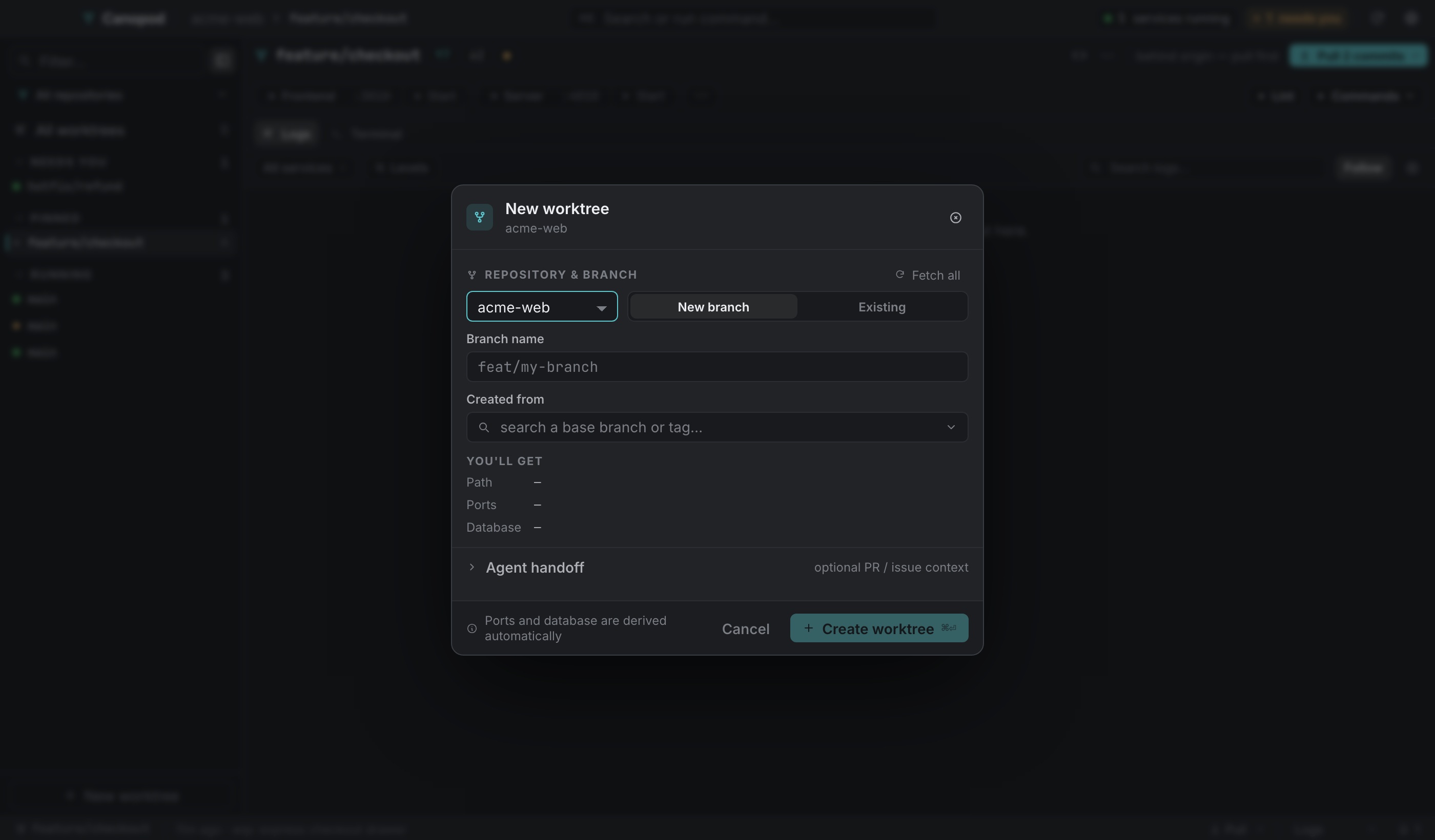
Check out another branch in its own folder. Canopod finds existing worktrees and helps you create new ones from a branch or tag, so you can run a review, a feature, and a hotfix side by side.
02 / SERVICES & PORTS
Keep the frontend, API, and other configured services with their worktree. Start or stop them, open their local URLs, and read their output in a shared log stream.
Another repository or process can still use the same port. Canopod makes your assignments visible and editable.
Explore services and ports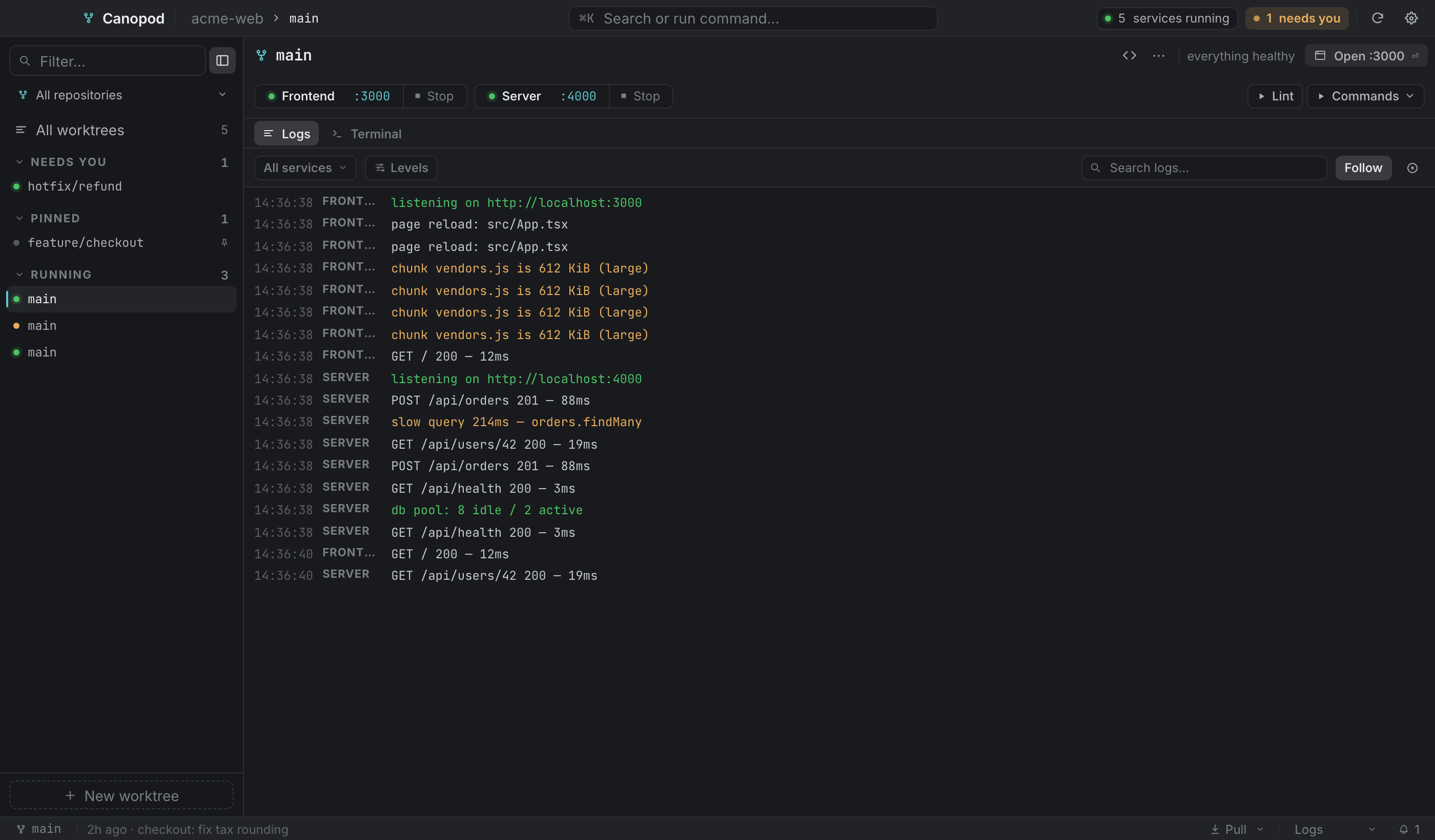
03 / POSTGRES WORKFLOWS
Configure a Postgres database for each worktree, then snapshot or restore it as you work. Branch-specific data is especially useful when two branches expect different schemas.
Database tools need local Postgres and compatible client binaries. Other databases can run as services.
See the database workflow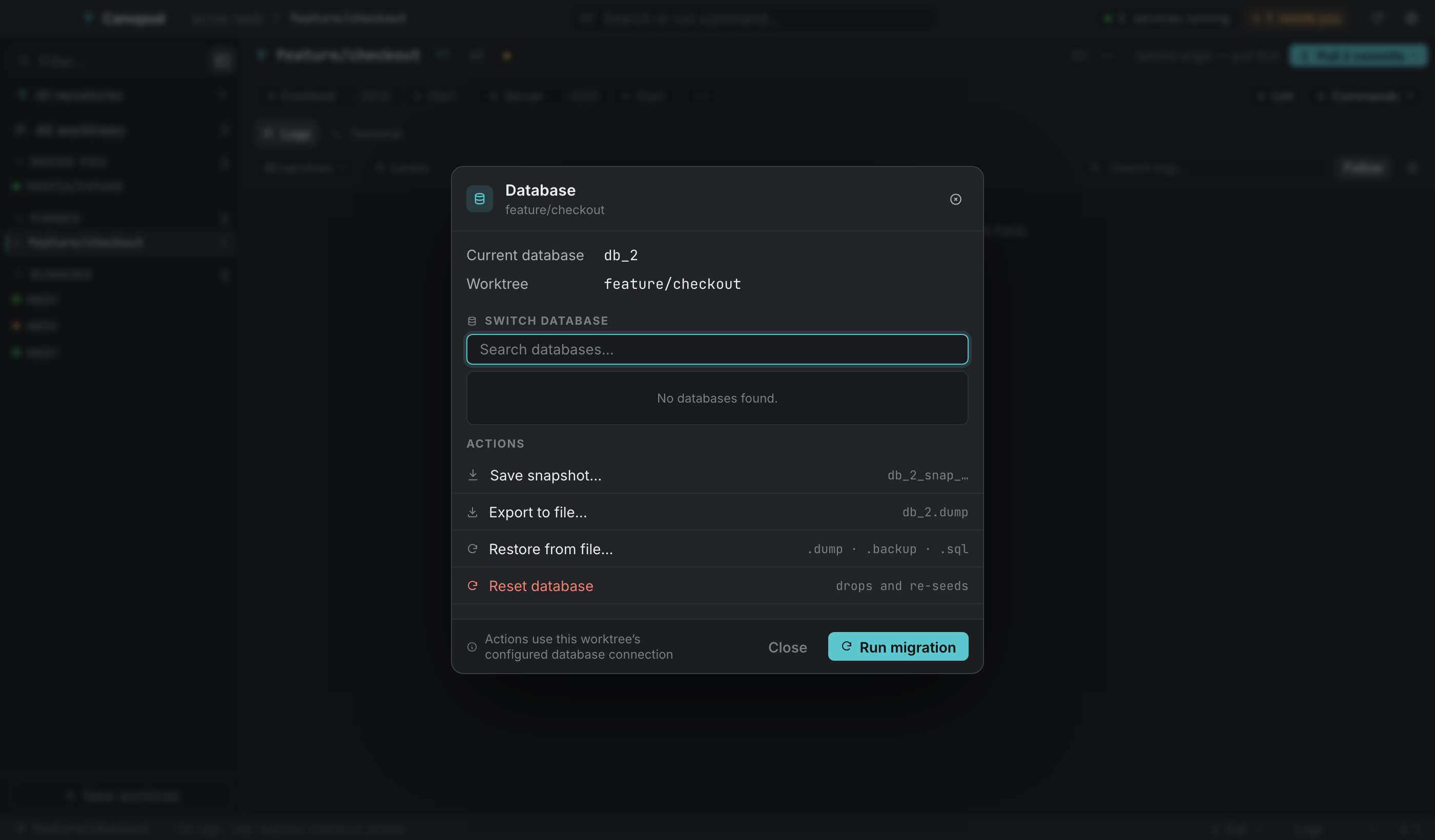
04 / WORKING WITH AGENTS
Start a configured CLI such as Claude Code, Codex, or Aider inside a worktree. Canopod writes your task, branch, ports, and database to a handoff file.
Terminal sessions & handoffsLet a local MCP client ask Canopod about the workspace and use the operations you enable. Share selected repositories and start with read-only access.
Explore Canopod MCP05 / REPEATABLE SETUP
A committed .worktreemanager.json records the files, commands, and environment overrides each worktree needs. The next branch can use that same recipe.
You define the commands. Canopod runs the recipe.
Canopod detects Node services from package.json. For other stacks, provide the commands your project needs.
Download Canopod, add a repository, and give it a workspace of its own.